

Nick & Tani : Funny Story for PC
Couple love battle where Nick and Tani prank each other in this prankster gameUpdated March 22, 2026
Nick & Tani : Funny Story PC Details
| Category | Simulation |
| Author | Z & K Games |
| Version | 3.7 |
| Size | 1.1 GB |
| What's New | Minor bug fixes and improvements. Install or update to the newest version to check it out! |
Nick & Tani : Funny Story for PC Screenshots
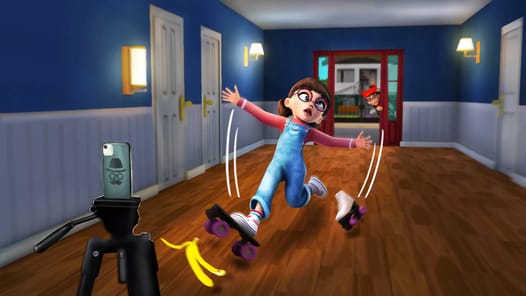
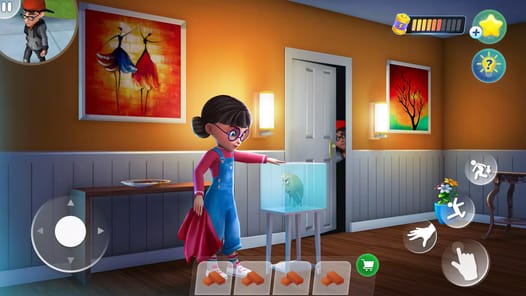

Welcome to the Hilarious World of Nick & Tani
Get ready for a game full of laughs and silly tricks! Nick & Tani : Funny Story is an exciting adventure where you join two fun characters on a mission of mischief. If you love funny stories and clever pranks, this is the perfect game for you. It is a very interesting game that will make you happy every time you win a level.
The story is all about planning the best pranks. You might even feel like you are getting back at an old school enemy in a fun, playful way. This game is all about laughter and having a good time, making it a wonderful choice for everyone.
What Makes Nick & Tani : Funny Story So Special?
This game stands out from the rest. It has a lot of cool features that make it a joy to play. From the characters you control to the way you can play, everything is designed for maximum fun.
Play as Both Nick and Tani
One of the best things about Nick & Tani : Funny Story is that you are not stuck playing as just one person. You get to control both Nick and Tani! This makes the game feel fresh and exciting, as you can experience the pranks from two different points of view. It’s a feature that makes the game feel very different from others.
A World of Clever Pranks
The game is built around chapters and a "pranks career" mode that is full of interesting challenges. You'll find yourself running, hiding, and setting up funny traps. The story is so engaging that many people finish all the levels and can't wait for more. It’s even considered better than other popular games like Scary Teacher.
Play Your Way, Without Interruptions
Tired of ads getting in the way of your fun? Nick & Tani : Funny Story has a great solution. You can turn off your Wi-Fi or data and play the game completely offline. This means you can enjoy the pranks without any annoying ads popping up. Plus, when you need a little help, you can find energy drinks in the game to give your character a super-fast speed boost!
A Funny Story That Will Surprise You
The game is full of surprises that will make you laugh out loud. You might be chasing Tani one moment and then suddenly discover a brand new ending to a level that you didn’t expect. The story also has some fun mysteries. For example, why do Nick and Tani live in the same house? You’ll have to play to find out! The combination of humor and an interesting story makes you want to keep playing to see what funny thing will happen next.
Frequently Asked Questions
Can I play as both Nick and Tani?
Yes! A wonderful feature of Nick & Tani : Funny Story is the ability to play as both characters throughout the game.
Can I play this game without an internet connection?
You sure can. The game works perfectly offline. This is a great way to play without being interrupted by ads.
Are there enough levels to play?
The game has many chapters and pranks to complete. The story is so much fun that you will likely finish them all and be excited for new updates with even more levels.
How to Install Nick & Tani : Funny Story on PC
Below instructions allows you to download and install Nick & Tani : Funny Story app on Windows or MAC computer using an Android emulator. The process involves:
Download APK:Downloading the Nick & Tani : Funny Story APK file by choosing a version.
Install Android Emulator:There are a number of Android emulators the internet. Choose a emulator that works better with your PC. Now, download and install the Android emulator software.
Run the Emulator:Open the emulator you have just installed and configure the settings such as display, keywords, mouse etc.
Install Gene:Open the downloaded Nick & Tani : Funny Story APK file using the emulator, which will install Nick & Tani : Funny Story on Windows or MAC.